Showing posts with label ram. Show all posts

Tuesday, May 21, 2013

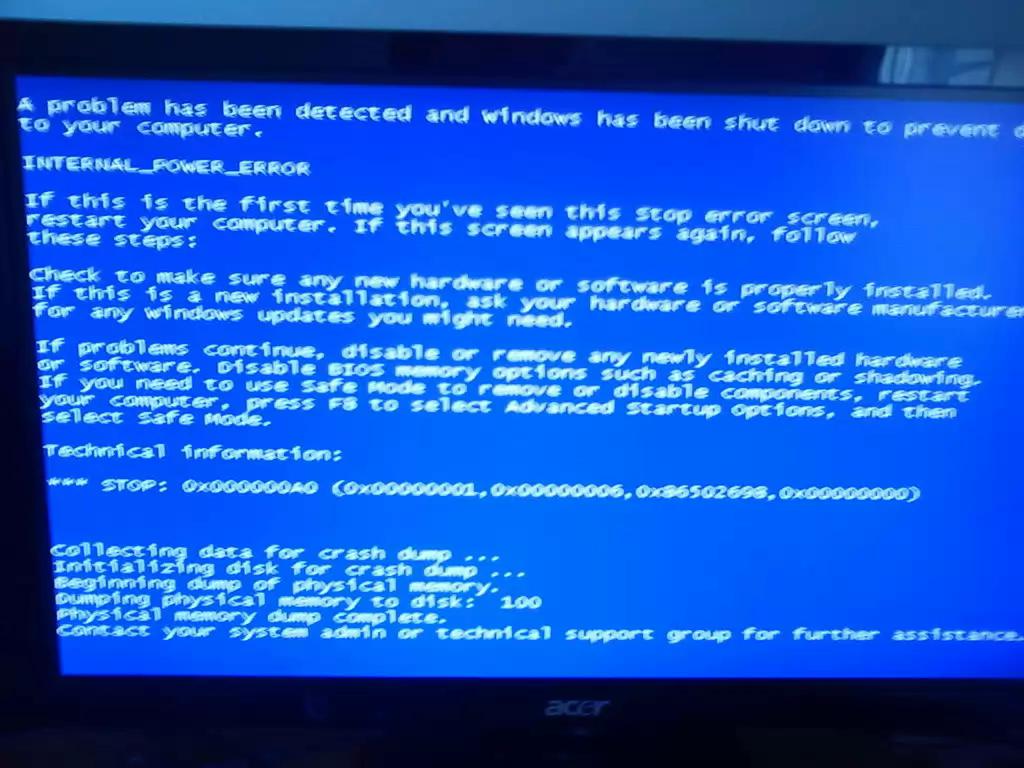
Which virus cause "blue screen"error ?

0 comments

Can you tell me which virus cause "blue screen"error. And how can I remove it (which antivirus can detect it) ?


windows ram memory fix

Blue Screen, not only caused due to virus, but also caused due to some hardware issues. There are such a millions of viruses on the world wide web, If you know so many viruses cause this error.


Some high level risks viruses and threats cause these type of blue screen errors, once blue screen is shown on the screen the error code will be shown and check about error code in Google  you will come to know what the issue was.


If the error details known correctly, you will come to what the necessary steps to be taken to clear that issue. If you have any hardware issues that might be also one for the problem to the error cause. If the RAM is not working fine, when you are installing the windows or OS that might redirects to the blue screen, at this point of time note down the error code, but you have to be very quick while copying the error code.


If the problem due to RAM, change the ram and run the same installation or programme again. In major cases RAM has the problem, once contact your system administrator  for further steps.
Read more...

Sunday, January 20, 2013

Why my computer turns off when 2 or more programs open? My PC is P4 2.8 Ghz?

0 comments

Your PC is getting turned off after 2 or more programs opened, there might be n number of reasons for this problem like insufficient RAM, overheating, viruses, any third party programmes

Likely it depends on hardware too, as you are using P4 2.8 ghz processor RAM does plays a major role if you have 512 or 256 MB of ram it does not support in case you are opening the huge games or programmes.


PC turned off

Your hardware must meet the software requirements then you can run that software.

If your processor overheated due to some reasons, it is also a one of the reason. Better check for the options if you have incorrectly configured in your system BIOS, check in BIOS make changes appropriate. Better follow the manual book of motherboard if you don't know about BIOS. Don't risk yours

There might be chances of this problem if your system is infected with virus or Trojan install a good anti virus programme perform a Full System Scan.

Restore you computer to a previous state using system restore, but do it at your own risk.
Read more...

Thursday, June 28, 2012

Checking How much amount of RAM does your graphics has?

0 comments


Every  PC comes with a certain amount of memory in video cards, thing is that to display the ongoing operations in CPU and the more capacity you have is the more can a graphic card handle the graphical data which you are using
In Windows Xp, You can check how much amount of graphic does you have.
Right click on desktop, go to properties and then to settings and click advanced button,
New window will open, then check for tab called adapter there you will find the video memory how much amount of memory does your memory card have.

In windows 7
Right click on desktop, go to personalizeàin bottom left go to display à go to adjust resolution à go to advanced settings à in adapter tab there you will find the total available graphics memorys


Read more...


Technology In Life Copyright © 2013 Minima Template
Designed by BTDesigner Published..Blogger Templates · Powered by Blogger