Showing posts with label antivirus. Show all posts

Friday, July 5, 2013

If there is a trojan on my computer, can it go undetected by my Anti-Virus software?

0 comments

I have KasperSky Anti-Virus.

trojan virus removal undetected


Virus or Trojans have many variants and some security programmes are up to date and some or not. The software vendor will update the definitions every time when they find any new variants and if the database of you antivirus was not updated in a regular then your antivirus shields will not aware of the new variants.


That is why there is a need of updating the virus definitions and some free editions will not have the in-depth virus signature files and there will be alot of difference in the free version and full version of software's.


Because I observed many free antivirus programmes that do not have full feature they don't detect the antivirus and then I installed a Trojan Remover trial version which I was benefited from it alot it detected alot threats where in as antivirus cannot.


So I come to know that a full version of antivirus works better than free version and so I suggest you to install the full version of antivirus it's better and so many links are available on the Internet and they say that are full version but one thing you need to they don't have official support from the software provider.
Read more...

Friday, June 28, 2013

Shut down Windows while scanning and fixing for viruses?

0 comments

Hey guys, I have recently scanning and fixing for viruses on my windows 8 Laptop. But i was forget and so I shut down my laptop while scanning & fixing for viruses. Now, I worry about it. I worry if my laptop or windows is damage or broke because of this. Do I need to reinstall my windows 8??? OR Is it okay and no problem and nothing worry about to my laptop and windows 8 because its normal and Safe??? Please help!!!

windows shutdown


No need to worry and no need for re-installation of windows because while scanning you shut down your PC what happens here is the task manager automatically closes the running programmes and when they are not closed they automatically forces to close and asks you the permission to whether force or not, wait the programme till responding.

If your computer wont start then you need to contact the system administrator and recovers the system to previous state. If you know about system restore you can go through it.

If your antivirus wont work perfectly or it not opens you need to uninstall it or use the previous setup to repair the antivirus. If everything perfect just run the whole system scan and fix the threats.

whenever any programme is running or doing any type of work you need to close the programmes or save them appropriately.
Read more...

Friday, June 14, 2013

How does avast free compare to Kaspersky or Norton anti virus?

0 comments

people say avast is the best but is it ?

I am using Avast free edition since 2 years, am observed that its not the best antivirus because  if a virus found on PC or USB drive just it says that threat detected but it never stops saying that again and again, here the same infected file and the same path shows several times. Repeating of the same file name and path in the alerts section but it not removes or cleans that particular file, just says blocked. This Avast free edition not finds the virus hosts file because it does not have the full features. If you buy the full version it does have all the features.

If a threat found in compressed file, this avast shows the threat detected and totally blocks that compressed file being it used or getting it extracted and here we cannot access other files and loss of work happens here

I checked with other free versions of antivirus like avg, avira and some more, faced the same problem and then I realised that it is better to have a full version and so I tried Norton by downloading the trial version and checked for 30 days it was very nice better than avast

So I purchased Symantec Norton 1 year license and using it since 3 months and getting the updates, offers aswell. I prefer Norton 360 for you, it's the best.
Read more...

Monday, April 1, 2013

Windows error recovery message & programs take too long to open?

1 comments

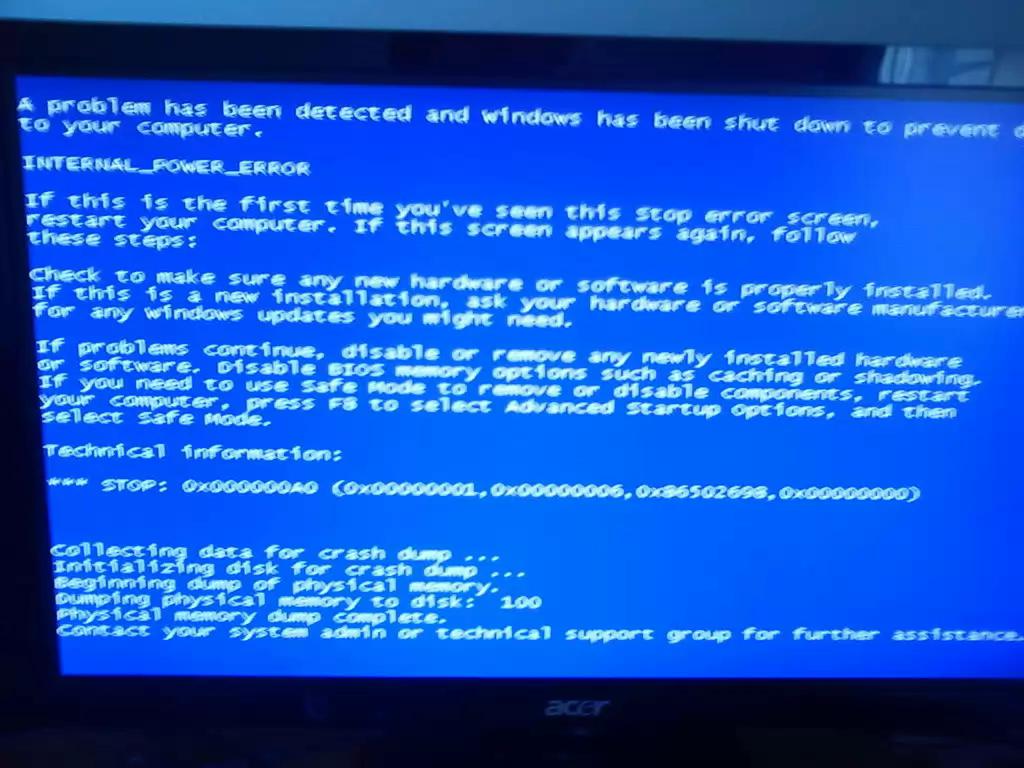
Two days ago my laptop unexpectedly shut off. Ever since then i get the windows error recovery message whenever i start up windows. I choose to start windows normally instead of going into safe mode. Once my desktop loads, i try clicking on programs that keep on failing to load. After 10 or more minutes i finally get them open. The screen also blacks out and comes back. The network icon sometimes shows that the computer is connected to the ethernet code when its not and it also shows that the internet is not connected or on when it is. The programs also become unresponsive alot , causing me to restart. What should I do ? I've been experiencing this problem for 2 days.

windows recovery messages

Your system might infected with malware or trojans or viruses. Once Install a good antivirus programme and scan the whole computer. While scanning it shows all the threats which were detected whlie scanning. Some antivirus programmes might delete the compresses files (rar,zip...etc) if the they found virus in the the compressed file, some deletes the total compressed file. Make sure to check with them, if you have any important data you may lose your data.

One more reason behind this is OS file system may be corrupted. If you have OS cd follow the steps to repair the windows. If you dont how to repair, contact the system administrator. Better install a good Internet Security sort of softwares. So many programmes available on the Internet and free versions also available. I found Avast free edition is good one in all these viruses which they provide for free.

If you found that Avast or any security programme is good one, buy the full version of software.
Read more...

Wednesday, February 13, 2013

Is Avast free virus good enough to get rid of any kind of Virus and other for a Laptop?

0 comments

After running Avast freeware I found no Virus on computer or anything. Seems like once a month though the computer acts up and I have to redo everything. Can a Virus or anything like that be in a computer but not on or in the hard drive? Can a Virus or whatever be in the Bios?

Avast free antivirus, has the limited features, which I have observed alot. In a situation the avast antivirus not detected any virus. After I uninstalled the Avast and Installed the Norton Antivirus Trial. Updated virus definitions, Scanned the whole computer and shocked by seeing the scanned results. It had detected about 150 infected files (tojans/viruses/rootkits). 

As there are many infected files, I am thinking that why Avast did not. I checked the features that which provided by the Avast and compared with Norton Antivirus features. It's totally different. We need to check the details and features of the programme before buying or downloading.

Avast can also detect all these infections. but you need to Buy the Full version. Check the picture below.

avast comparison

If you buy the Avast 7 Internet Security, It will detects the virus/trojans/rootkits. If you can afford you can buy
Read more...

Saturday, January 26, 2013

Got a virus on my computer how do i get rid of it, HELP!?

0 comments

I have downloaded an infected program or virus that my antivirus software (AVG) can't detect it and the virus wont allow me to do a computer system restore. I know that I have the virus because videos on YouTube started to be choppy or just stop and ads are pooping up in places they never use to. All the ads are those scams for lower insurance premiums etc.... How do I solve this?

infected program

Already you have installed the AVG antivirus as the virus was not detected by the antivirus, may be that is not a virus might be Malware or Trojan. AVG free edition is limited it doesnot have all the features, if you afford to buy, get a full version of anitivrus or if you are connected to internet buy internet security my suggestion is to get Norton Internet Security.

I already installed and faced this kind of problem with many free antivirus and used to install the trojan remover and malware remover...etc including this antivirus. What happened is system getting slow down because 4 to 5 security softwares are installed in my system. If you got internet security software it optimzes your system to function properly.

If you want to do system restore, go to safe mode and while booting press F8 choose safe mode from the list. Follow the onscreen instructions to do system restore. Ads are pooping out because some click through software might be installed in your system go to control panel find in the list and uninstall them.
Read more...

Monday, January 21, 2013

I want to know that if there is a virus in a computer then how to find it and delete it ?

0 comments

Virus is not detected by antivirus or antispyware, my computer sceen is blinking sometimes 3times/30second and sometime no blinks. I formatted C drive but problems comes after 10 or 12 days again, I know that if I format the whole hard disk then this may be solved but I want any other solution. My pc has intel g33/g31 graphic chipset family and dual core processor 2.8 ghz .

You many know or not know that your PC is infected with Virus or Trojans. It depends upon the usuage of your computer. If you are using the PC daily and working on same application you can easily come to know whether infected with virus or trojans.
how to know pc is infected with virus
As you already formatted C drive, so after 10 or 12 days again the same thing happens which means virus or it's traces are still in other drivers you need to clean those infected drives. You are using antivirus in this case if you are using trial software or free licensed version it works for with limited features only. If you still scan with that it detects threats on the basis of virus definitions. Make sure to check the reviews of the antivirus before downloading.

Install a Internet security instead of antivirus if you are connected to internet becuase internet security software is loaded with great features that detects the traces of virus or trojans, It prevents automatically downloading of other malicious softwares, toolbars...etc
Read more...

Sunday, January 20, 2013

Why my computer turns off when 2 or more programs open? My PC is P4 2.8 Ghz?

0 comments

Your PC is getting turned off after 2 or more programs opened, there might be n number of reasons for this problem like insufficient RAM, overheating, viruses, any third party programmes

Likely it depends on hardware too, as you are using P4 2.8 ghz processor RAM does plays a major role if you have 512 or 256 MB of ram it does not support in case you are opening the huge games or programmes.


PC turned off

Your hardware must meet the software requirements then you can run that software.

If your processor overheated due to some reasons, it is also a one of the reason. Better check for the options if you have incorrectly configured in your system BIOS, check in BIOS make changes appropriate. Better follow the manual book of motherboard if you don't know about BIOS. Don't risk yours

There might be chances of this problem if your system is infected with virus or Trojan install a good anti virus programme perform a Full System Scan.

Restore you computer to a previous state using system restore, but do it at your own risk.
Read more...

Thursday, January 17, 2013

Why does my internet turn off randomly and how do I fix it?

0 comments

There's not really a certain amount time that it works for before disconnecting, it just does it randomly. When I restart the computer it works again, but it's really inconvenient sometimes and I'd like to know what's wrong with it and how I can fix it.

internet turn off

Automatically you internet is disconnecting it means that there might be number of reasons for this problem. You need to check with your cable connection whether it is inserted correctly or not and you might need to know lan card has the latest drivers installed in OS, drivers also matters here. May be your system is infected with some kind of viruses or trojans and better install a good antivirus programme as well.

If your PC is infected with virus install good internet security, if you cant afford one download a trial version of your softwares.

Check for the latest drivers according to your motherboard find them from yout motherboard manufacturer's site download and install them.

Read more...

Tuesday, January 15, 2013

HELP! PLEASE!! Some one who really know computers, please help me remove a virus!!!?

0 comments

So, I just got a new laptop, I don't know how I managed to get a virus. But everytime I click the internet explorer, a page automatically searchab.com. I searched it up and it found out it was a virus. I tried many various ways to delete it but nothing works. Can you please please help me, I just got a new laptop and don't want to ruin it. Thanks, I really need your help !

Also, I have another virus which is Privitize VPN which got on my computer as well as searchab.com. Like I know the viruses that are on my computer but have no idea how to delete them.

Also, I have another virus which is Privitize Vpn which got on my computer as well as searchab.com. Like I know the viruses that are on my computer but have no idea how to delete them.

And I don't know, should I do system restore? Will it harm my computer and I lose everything??
 
internet browsers malware
Searchab.com may be a malware, in which it automatically changes the default webpage into searchhab.com and it may download the some appropriate softwares automatically. you need to unistall the searchab.com  related softwares and restore the browser settings and after uninstall restart your system.

I suggest you need to buy a good antivirus like Norton Internet Security and if you can't afford it download free antivirus like avast free edition which they provide one year license with free updates.

Read more...

Friday, January 11, 2013

Internet Explorer not working?

0 comments

I have a laptop that recently, unfortunately, got a virus on it. The virus was in the form of rogue antivirus software called "System Protection". I did research and eventually found a method to remove the virus. I think got all of the files of it deleted successfully through Malwarebyte, but I can't open Internet Explorer for some reason. I still get an error message saying that the browser stopped working every time I attempted to open it. Are there still traces of the virus lurking somewhere? Is this a H or Rootkey problem? Help much appreciated.

 
Sol :- Do install a good antivirus programme, full version is always better than free version. As you know how the system function after the removal of virus, if function still slow or slowing down. Some traces of virus is still there in the system files. Install the full version of antivirus for better removal and sometimes after the removal of virus if the system is still slow you need to repair or reinstall the windows.

Internet explorer can be updated from the microsoft website as per you version of windows. There might be some slow of internet explorer it depends on hardware too. if you are using a 512mb of ram that not supports the latest version of the software, 1gb or 2gb is recommended of newer versions.

And some malware programmes automatically installed from the web, if you have a good antivirus will take care of them.


Read more...

Wednesday, January 9, 2013

What is the use of virus vault in AVG Antivirus?

0 comments

Virus vault is a place where the virus/trojans/malwares are placed in here by antivirus programm which you are using. It is one type of jail, where the programm is not allowed to access anything it is a certain kind of locked box.

Virus vault, it is useful to us in many ways. If antivirus detecs viruses, that file might be used by user regularly or daily acitivity is going on that file, antivirus detects it's activity then stores or moves the files in Virus vault.

antivirus chest


For example some antivirus programmes not able to scan in deep of a file like zip, rar, 7zip...etc. So the antivirus detects the virus and cannot remove or clean the virus from that file. So in this situation antivirus moves the total zip or rar or 7zip file into virus vault as there is a regular acitivty in that file.

So at this point of time we can restore the file from virus vault and we will copy that required file from compressed file and later it will be deleted or cleaned by the antivirus programme.
Read more...


Technology In Life Copyright © 2013 Minima Template
Designed by BTDesigner Published..Blogger Templates · Powered by Blogger